

IBPS Clerk Computer – MS Office – Word, Excel, PowerPoint and Shortcut Keys – Level 2 · Exam Level
IBPS Clerk Computer – MS Office – Word, Excel, PowerPoint and Shortcut Keys – Level 2 · Exam Level – 16 questions, subject: Computer Aptitude. Every question has the correct answer with a two-line explanation; tap "Show Answer". Free practice for IBPS Clerk, IBPS PO, SBI, RRB exams – Shanmugam IAS Academy, Coimbatore.
Link to this page from your website / blog (HTML code)
Correct Answer: B [28]
Explanation:
Excel calculates the power first, then multiplication, then addition: 3^2 = 9, 2 x 9 = 18 and 10 + 18 = 28. Working left to right without this order would wrongly give 108.
Correct Answer: E [=A8*$C$1]
Explanation:
Copying B3 to B8 moves the formula 5 rows down, so the relative reference A3 becomes A8. $C$1 is an absolute reference and stays the same, giving =A8*$C$1.
Correct Answer: D [56.79]
Explanation:
ROUND(56.785, 2) keeps two decimal places; the third decimal digit is 5, so the second decimal is rounded up, giving 56.79. ROUNDDOWN would give 56.78 instead.
Correct Answer: A [5]
Explanation:
MOD(47, 6) returns the remainder when 47 is divided by 6: 6 x 7 = 42 and 47 - 42 = 5. The quotient 7 is not the answer; MOD gives only the remainder.
Correct Answer: C [12]
Explanation:
LEN counts every character including spaces, so "Core Banking" has 4 (Core) + 1 (space) + 7 (Banking) = 12 characters. A common mistake is to leave out the space and answer 11.
Correct Answer: D [#DIV/0!]
Explanation:
Error value #DIV/0! = division by zero.
Correct Answer: B [value not found]
Explanation:
VLOOKUP shows #N/A when the lookup value is not found in the first column of the table range. A column that is too narrow shows #####, a deleted reference gives #REF! and division by zero gives #DIV/0!.
Correct Answer: A [Ctrl + 1]
Explanation:
Ctrl + 1 opens the Format Cells dialog in Excel, where number format, alignment, font, border and fill can be set. F4 repeats the last action or toggles $ signs while editing a reference, and F11 creates a chart sheet.
Correct Answer: C [Ctrl + ;]
Explanation:
Ctrl + ; (semicolon) inserts today's date as a fixed value in an Excel cell. Ctrl + Shift + ; inserts the current time, while the formula =TODAY() gives a date that updates every day.
Correct Answer: E [Slide Sorter]
Explanation:
Slide Sorter view shows thumbnails of all slides, so slides can be re-ordered easily by dragging them. Notes Page view is for speaker notes, and Slide Master controls the common design of all slides.
Correct Answer: E [Pie]
Explanation:
A pie chart is used to show the share of each part in one whole, such as each loan type's share of total loans. Line charts suit trends over time, and bar or column charts suit comparisons between items.
Correct Answer: C [30]
Explanation:
Excel columns after Z continue as AA, AB and so on, so A = 1 x 26 and D = 4 give AD = 26 + 4 = 30. Similarly AA is column 27 and AZ is column 52.
List I: (a) Ctrl + H; (b) Ctrl + K; (c) Shift + F3; (d) Shift + F7
List II: (1) thesaurus; (2) hyperlink; (3) change case; (4) replace
Correct Answer: D [a-4, b-2, c-3, d-1]
Explanation:
In MS Word, Ctrl + H opens Replace (4), Ctrl + K inserts a hyperlink (2), Shift + F3 changes the case (3) and Shift + F7 opens the thesaurus (1), giving a-4, b-2, c-3, d-1. F7 alone runs the spelling and grammar check.
Correct Answer: A [5]
Explanation:
COUNTA counts all non-empty cells, whether they hold text, numbers or symbols: Ravi, 450, 300, - and 250 make 5. The 2 blank cells are not counted.
Correct Answer: B [Freeze Panes]
Explanation:
Freeze Panes keeps the chosen header rows or columns visible while you scroll through the rest of the sheet. Filter, by contrast, hides rows that do not match a condition.
Correct Answer: C [Review]
Explanation:
Track Changes is on the Review tab of MS Word, along with Spelling & Grammar, Comments and Compare. The Mailings tab holds Mail Merge, and References holds the Table of Contents and footnotes.
Today Current Affairs in Tamil | 23 நவம்பர் 2026 | TNPSC Group 4 முக்கிய வினாக்கள்
📚 IBPS Clerk 2026 Books
PDF நூல்கள் · ₹149 முதல் · ஒவ்வொன்றுக்கும் 50 பக்க இலவச மாதிரி · UPI-இல் பணம் செலுத்தியதும் உடனே பதிவிறக்கம்
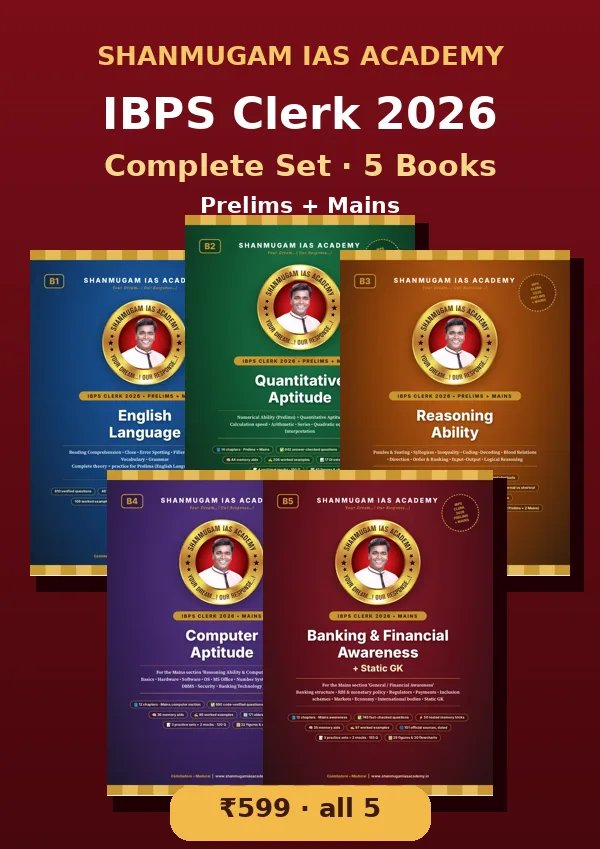 IBPS Clerk 2026 – Complete Set (5 Books, Prelims + Mains)
₹599
 IBPS Clerk 2026 – Quantitative Aptitude (Prelims + Mains)
₹149
 IBPS Clerk 2026 – Reasoning Ability (Prelims + Mains)
₹149
 IBPS Clerk 2026 – English Language (Prelims + Mains)
₹149
TNPSC குரூப் 1, 2/2A, 4 – நேரடி வகுப்புகள் · கோவை & மதுரை
2006 முதல் சண்முகம் IAS அகாடமி · Classroom & online coaching in Coimbatore and Madurai
